
 LinkMeshObservability Data Collection Management
Keeping a Collector Fleet Current
Health-gated, reversible upgrades across a mixed Alloy + otelcol fleet.
 Roman Hüsler← Back to blog
Enrolling a collector is the easy part. The part nobody puts on the roadmap is keeping the fleet current — and it’s where “we’ll do it later” quietly turns into version drift, an unpatched CVE, or a processor you need that only ships in a newer release.
Manual collector upgrades are risky in exactly the way that makes people avoid them. SSH to each host, swap a binary, restart, hope it comes back. Get the version wrong and it crashes on start. Upgrade an OpenTelemetry Collector without its supervisor and you get a crashloop from a protocol mismatch. Do it across fifty hosts and you’re one bad batch away from a bad afternoon.
So most fleets drift. This post is about not letting them — detecting outdated collectors and upgrading them safely, with a health gate and automatic rollback, without pretending the two common runtimes upgrade the same way.
First, see the drift
You can’t fix what you can’t see. LinkMesh records the version every collector runs and compares it to the version it has validated for that runtime, then puts the answer right in the fleet view.
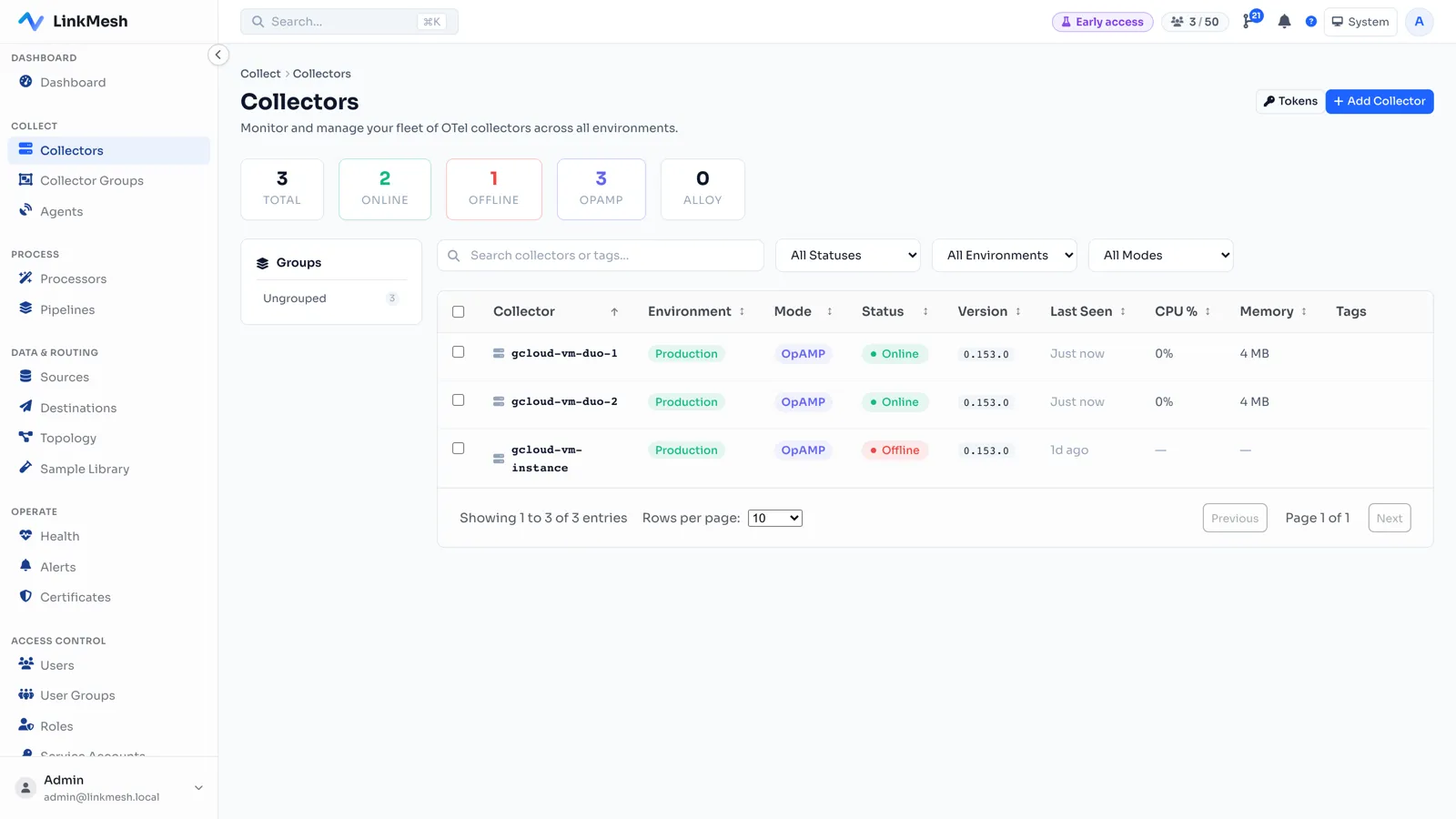
Two badges, two meanings:
- Update — a newer LinkMesh-validated version is available. Informational. Upgrade when you’re ready.
- Unvalidated — the collector is running a version LinkMesh hasn’t tested. This is the one to watch: it usually means someone hand-installed an off-list build, and untested versions are exactly where a supervisor/collector mismatch hides. Re-pin it to a validated version.
No badge means the collector is on the current validated version. The whole fleet’s currency is now a column you can scan, not a spreadsheet you maintain.
Upgrade Grafana Alloy in place — with a safety net
For a Grafana Alloy collector managed over remotecfg with a co-located agent,
LinkMesh upgrades the binary in place. You click Upgrade; the agent on that
host does the careful part:
- Fetch the pinned build (from the host’s package manager, or a verified download).
- Swap the binary and restart Alloy.
- Watch it for about 30 seconds.
- If it doesn’t come back healthy, roll back to the previous binary automatically.
That last step is the one that makes upgrades boring — in the good way. A bad
release doesn’t leave a collector face-down; it leaves it running the version it
already had, and the UI tells you the upgrade failed. Your config is never touched:
Alloy re-fetches it over remotecfg after the restart, so pipelines resume exactly
as they were.
There’s a quiet design decision here worth calling out: the rollback lives on the host, not the server. The agent that performs the swap is the same process that health-checks and reverts it. The server issues the intent; the host owns the outcome. That’s why it can be genuinely automatic instead of a “detect failure, then try to remotely undo it” dance.
Roll it across a group, a batch at a time
One collector is a button. A fleet is a rollout, and rollouts want a brake.
For a collector group, LinkMesh runs a health-gated rolling upgrade: pick a batch size, and it upgrades that many members at once, waits for every one to report healthy, then advances to the next batch. If a member fails, the rollout halts — that member rolls back, and the collectors it hasn’t reached yet are left untouched on their current version. You fix the cause and start again; anything already on the target version is skipped.
Start with a batch size of one for the most cautious rollout, widen it once you trust the release. Either way, a bad version stops the line instead of taking out the fleet.
Why otelcol is different — and why we didn’t fake it
Here’s the honest-engineering part.
The OpenTelemetry Collector under OpAMP is supervised by the upstream opampsupervisor, and that supervisor does not apply remote binary updates. The capability is defined in the spec but isn’t implemented — the config-management side works, the package-management side is future work.
We could have papered over that. We didn’t, for a specific reason: the supervisor manages the collector as a child process, and it is exquisitely sensitive to anything it didn’t do itself. Push it an offer it can’t honor, or race it by swapping the binary underneath it, and it doesn’t fail cleanly — it stalls or crashloops. The collector and supervisor also share a wire protocol across releases, so upgrading one without the other is its own crash. Faking a server-driven upgrade here would trade a visible “you need to run a command” for an invisible “your collector is now down.”
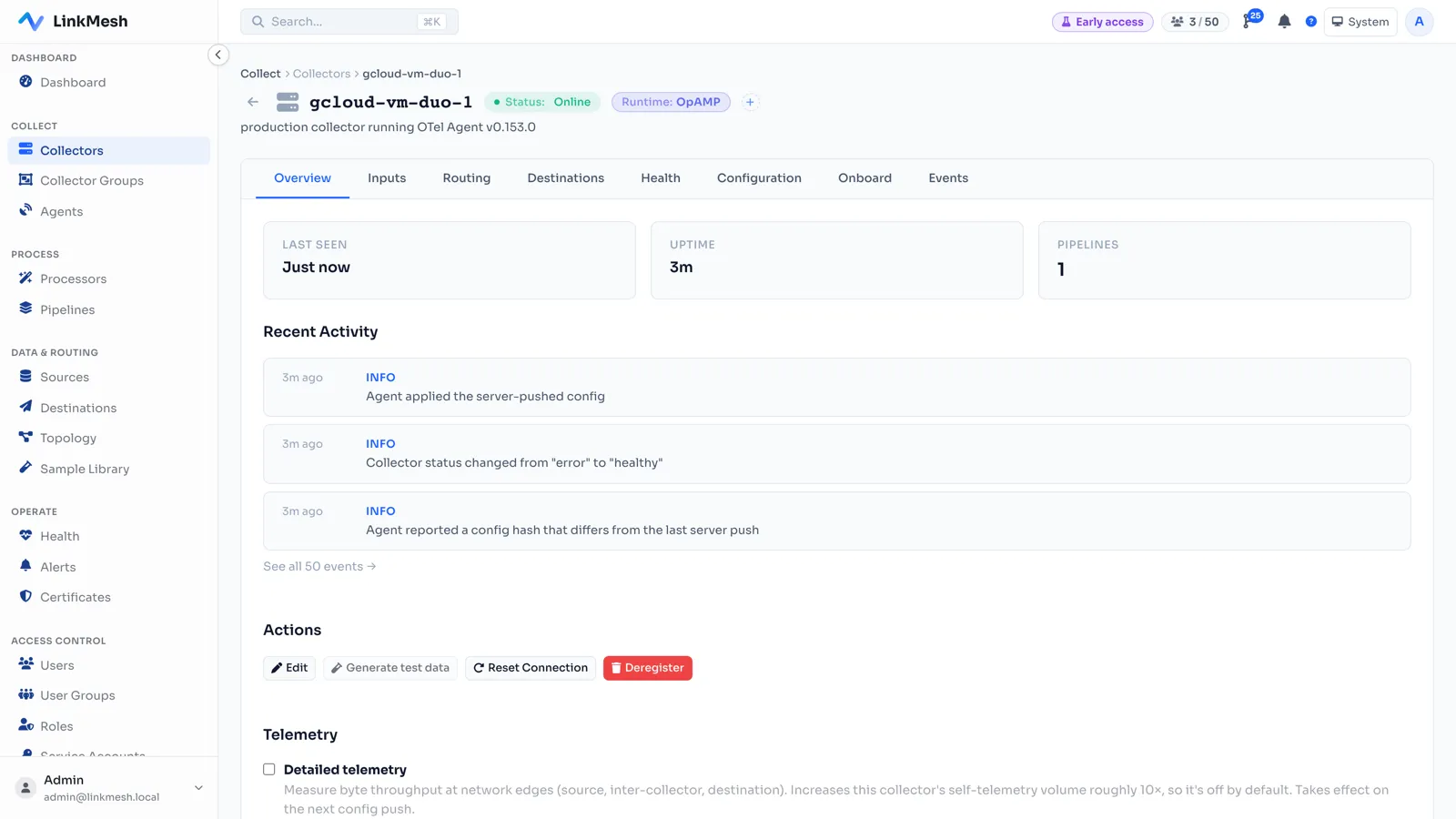
So for OpAMP collectors, LinkMesh does the useful thing it can do reliably: it shows you a ready-to-paste command that re-runs the installer pinned to the validated version — upgrading the collector and its supervisor together, to the same version, because they must match. One command, both binaries, matched pair. Do one host, confirm it’s healthy and flowing telemetry, then roll the rest.
A mixed group — some Alloy, some otelcol — is handled honestly too: the rolling upgrade upgrades the Alloy members and marks the otelcol members skipped, with a link to their re-pin command. Nothing silently ignored, nothing silently broken.
The operational-ease that actually compounds
None of this is glamorous, and that’s the point. Keeping collectors current is the kind of chore that’s easy to defer and expensive to have deferred. Making it a scan-the-column, click-Upgrade, health-gated, reversible operation is what turns “we should update those” into something you actually do — before a CVE or a missing processor forces your hand at the worst possible time.
Two runtimes, two upgrade paths, one fleet view — and a rollback that’s automatic where it can be and a matched-pair command where it has to be.
Keep reading:
- The operator how-to, step by step: Upgrade collectors
- Grafana Alloy vs OpenTelemetry Collector: How to Choose
- OpAMP Explained: Remote-Managing OpenTelemetry Collectors at Scale